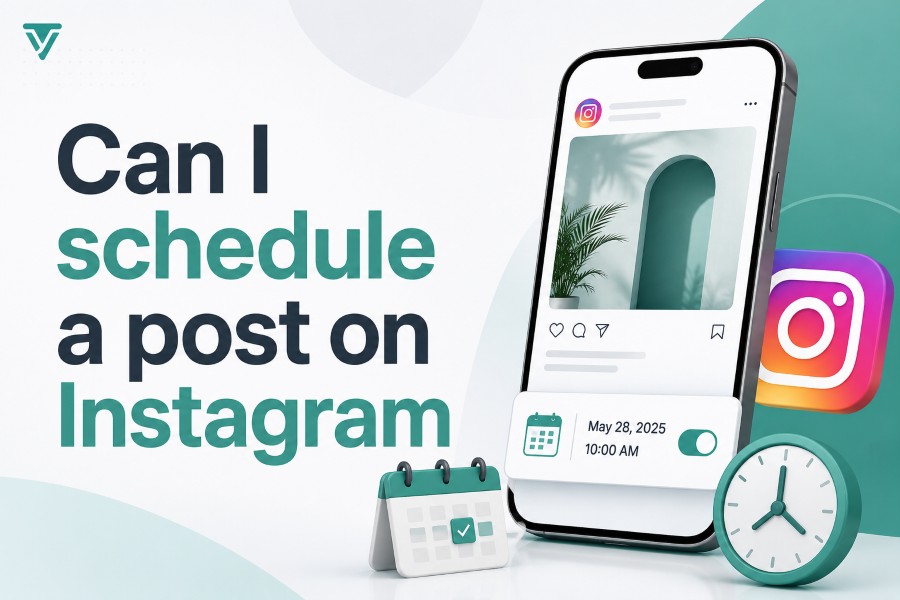
Can I schedule a post on Instagram? Yes, you can schedule posts, Reels, and carousels on Instagram using the native app, Meta Business Suite, or a trusted third-party scheduling tool. This is useful when you want to stay consistent, avoid rushed posting, and prepare stronger captions before your content goes live.
Scheduling also helps you manage Instagram like a real content system instead of a daily guessing game. Whether you run a creator page, small business, agency account, or personal brand, the right scheduling method can save time and make your profile look more organized. Read for more!
Can I Schedule a Post on Instagram Directly?
Yes, Instagram now lets many users schedule content directly inside the app, and that makes the process much easier than it used to be. You can prepare a feed post, carousel, or Reel, add your caption and settings, then choose a future date and time before tapping Schedule. This is the simplest option if you manage one account and want a free way to plan ahead.
The native scheduler is best for creators and small brands that do not need approvals, team comments, or client review. When you are planning campaigns, it also helps to use research tools wisely because a tool that lets you view public content across platforms can support content observation without replacing your own strategy. You still need to create original posts, but seeing public trends can help you understand formats, posting styles, and audience behavior.
The main limit is that Instagram’s built-in scheduling is not a full content management system. It is useful for basic planning, but it may not cover Stories, advanced collaboration, or multi-account workflows in the same way dedicated tools can. If your content process is simple, native scheduling is often enough.
How Instagram Scheduling Works
Instagram scheduling works by letting you create the post now and publish it later without being online at the exact posting time. You upload your image, video, Reel, or carousel, write your caption, add hashtags, choose a location if needed, and set the publishing time. Once scheduled, Instagram stores the post and releases it automatically at the selected time.
This process is helpful because Instagram rewards consistency, and consistency is hard when you post only when you remember. Scheduling gives you a calendar-based workflow, so you can plan posts around product launches, holidays, weekly themes, or audience activity. You avoid the last-minute panic of trying to write a caption while distracted.
However, scheduling is not the same as strategy. You still need to choose the right content type, write clearly, and review performance after publishing. A scheduled weak post is still weak, but a planned strong post has a better chance of reaching the right people.
Can I Schedule a Post on Instagram Using the App?
Can I schedule a post on Instagram using only the app? Yes, you can do it from the Instagram mobile app if your account has access to the scheduling feature. The steps are simple: create your post or Reel, edit it, write the caption, open advanced settings or more options, then turn on scheduling and choose your date and time.
This option is ideal when you want a quick, no-cost scheduling method. You do not need to connect another platform, learn a complex dashboard, or pay for a separate tool. It keeps everything inside Instagram, which is useful when your workflow is small and direct.
Still, native app scheduling has limits you should know before depending on it for a full content plan. It is not built for heavy approval workflows, client feedback, recurring content, advanced analytics, or campaign organization across several accounts. If you only post a few times a week, it can work well; if you manage content professionally, it may feel too basic.
Can I Schedule Instagram Posts With Meta Business Suite?
Meta Business Suite is another free option for scheduling Instagram content, especially if you also manage a Facebook Page. It gives you a desktop-friendly planner where you can create posts, Reels, and in many cases Stories, then schedule them across Facebook and Instagram. This is useful when you prefer working from a laptop instead of your phone.
The biggest advantage of Meta Business Suite is that it connects Instagram and Facebook in one place. You can see your calendar, plan posts for both platforms, preview content, and manage basic publishing tasks without paying for a separate scheduler. For small businesses, this can be a practical middle ground between the Instagram app and a full third-party tool.
The downside is that Meta Business Suite can become clunky when your workflow grows. It is not always the smoothest choice for agencies, client approvals, content labels, team discussions, or multiple brands. If you need a polished collaboration process, you may eventually outgrow it.
Best Types Of Instagram Content To Schedule
The best Instagram content to schedule is content that does not require real-time reaction. Feed posts, educational carousels, brand announcements, product highlights, tutorials, Reels, and evergreen tips are all strong options. These formats benefit from planning because you can polish the caption, check the design, and choose a smart publishing time.
Carousels are especially good for scheduling because they often need more structure. You can outline the first slide, organize the middle slides, and end with a clear call-to-action before putting the post on your calendar. This helps you avoid publishing rushed carousels that feel incomplete.
Reels can also be scheduled when the idea is not tied to breaking news or a sudden trend. You can batch several short videos, write captions in advance, and spread them across the week. This keeps your account active without forcing you to record and post every day.
What You Should Check Before Scheduling
Before scheduling an Instagram post, check the media quality, caption, hashtags, tags, location, and publishing time. A small mistake can sit unnoticed until the post goes live, so reviewing everything matters. You should also preview how the post will appear on your profile, especially if visual consistency is important.
Your caption should be clear in the first line because that is what people often see before tapping more. Avoid stuffing too many hashtags into the caption, and use keywords naturally when they help people understand the topic. Instagram search is becoming more content-aware, so plain and specific wording can help.
Also check whether the scheduled post needs real-time context. A funny caption, holiday reference, or trend-based Reel can become outdated if scheduled too far ahead. Your calendar should make posting easier, not make your brand look disconnected from the moment.
Benefits Of Scheduling Instagram Posts
Scheduling Instagram posts saves time, but the bigger benefit is mental space. When your content is prepared ahead of time, you can focus on engagement, customer questions, community building, and performance review. You are not trapped in a daily cycle of “what should I post today?”
Scheduling also improves consistency, which is one of the strongest habits for Instagram growth. Posting at random makes it harder for your audience to expect your content and harder for you to track what works. A planned schedule helps you show up regularly without burning out.
Another benefit is better quality control. You can batch-write captions, proofread them later, and spot weak hooks before publishing. That extra review time often makes the difference between a forgettable post and one that earns saves, comments, and shares.
Common Instagram Scheduling Limits
Instagram scheduling has limits, and understanding them saves frustration. Native scheduling commonly allows content to be planned up to 75 days in advance, and there may be daily limits on how many posts you can schedule. Some features, such as certain Story stickers, collaborative tools, or advanced interactive elements, may not work the same way through every scheduler.
Personal accounts may also have fewer scheduling options than Creator or Business accounts. If you are serious about content planning, switching to a Creator or Business profile can unlock more publishing and analytics features. This is often worth it for brands, freelancers, influencers, and service providers.
Instagram Live is different from scheduled posts. You can promote or plan a Live session ahead of time, but you still need to go live manually. Automation helps with many publishing tasks, but it cannot replace live presence when the format requires you to appear in real time.
How Far Ahead Should You Schedule?
You can schedule Instagram posts weeks ahead, but that does not mean every post should be planned months in advance. A healthy schedule usually combines evergreen content with flexible room for trends, updates, and timely announcements. This keeps your profile organized without making it feel robotic.
For most creators and businesses, planning one to four weeks ahead is practical. It gives you enough time to build a strong calendar, prepare visuals, and write better captions. It also leaves room to adjust your content if a campaign changes or a trend becomes relevant.
If you run seasonal campaigns, you can plan further ahead for launches, holidays, and promotions. Just review scheduled posts before they publish to make sure the message still fits. Content planning should feel controlled, not locked in stone.
Best Time To Schedule Instagram Posts
The best time to schedule Instagram posts depends on your audience, not just a generic chart. Some studies suggest early morning posting can perform well, but your own analytics matter more than broad averages. A restaurant, fitness coach, e-commerce store, and B2B consultant may all have different best times.
Start by checking when your followers are most active and when your previous posts received the strongest engagement. Then test different time blocks, such as morning, lunch, evening, and weekend slots. After a few weeks, you should see patterns that guide smarter scheduling.
Avoid changing too many variables at once. If you test time, keep the content type similar, so the comparison is fair. Over time, your schedule should become less random and more data-informed.
Native Scheduler Vs Third-Party Tools
The native Instagram scheduler is good for simple planning, while third-party tools are better for advanced workflows. If you work alone and post only to one account, Instagram’s built-in feature may be all you need. It is free, direct, and easy to understand.
Third-party tools become useful when you need approvals, content calendars, first comments, team notes, client feedback, analytics, asset libraries, or multi-platform publishing. Agencies and growing brands usually need these features because their content process involves more people and more decisions. A proper scheduler can turn messy content planning into a cleaner system.
The best choice depends on your workflow, not the tool’s popularity. Choose the simplest option that solves your current problem. Upgrading too early can add complexity, but waiting too long can slow your team down.
Mistakes To Avoid When Scheduling
The first mistake is scheduling content without checking it again before publishing. A typo, wrong tag, poor crop, broken caption, or outdated offer can hurt trust. Even if you schedule ahead, review important posts before they go live.
The second mistake is treating scheduling as a replacement for engagement. Instagram is still social, so you need to reply to comments, answer messages, and interact with your audience after posts publish. Automation can publish your content, but it cannot build relationships for you.
The third mistake is overplanning every single slot. Leave space for spontaneous updates, behind-the-scenes content, and timely reactions. A strong Instagram calendar should feel organized but still human.
Simple Instagram Scheduling Workflow
Start by choosing your weekly posting goal. You might decide to publish three feed posts, two Reels, and one Story sequence each week. This gives your calendar structure without making it overwhelming.
Next, batch your content by task instead of creating one full post at a time. Spend one session collecting ideas, another writing captions, another designing visuals, and another scheduling everything. This is faster because your brain stays in one mode.
Finally, review performance every week. Look at reach, saves, comments, shares, profile visits, and clicks if relevant. Use that data to decide what to schedule more often and what to stop repeating.
Conclusion
Can I schedule a post on Instagram? Yes, and you have several good ways to do it depending on how simple or advanced your workflow is. The Instagram app is best for quick native scheduling, Meta Business Suite works well for free desktop planning, and third-party tools are better when you need approvals, analytics, collaboration, or multiple account management.
The smartest approach is to schedule with purpose. Plan your content ahead, review every post, test publishing times, and keep space for timely updates. When you combine scheduling with strong captions, useful visuals, and real engagement, Instagram becomes easier to manage and more consistent for your audience.