
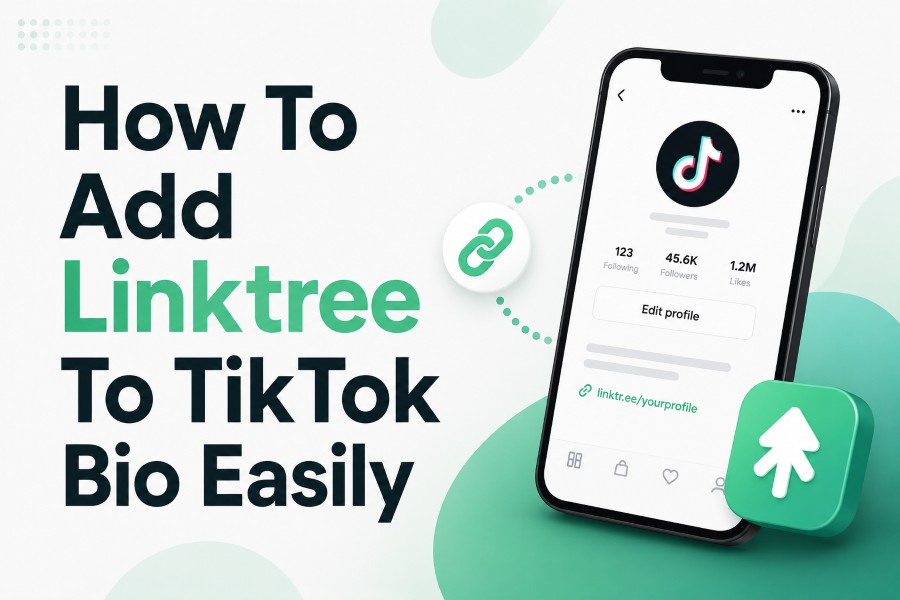
How to add Linktree to TikTok bio is one of the first things you should learn if you want your TikTok profile to send people to more than one place. TikTok gives eligible accounts one clickable website link, but Linktree turns that single space into a simple hub for your store, videos, newsletter, portfolio, booking page, and other important links.
The process is easy when your account has the Website field, but the real trick is knowing what to do when that field is missing, how to set up your Linktree properly, and how to make people want to tap it. Keep reading to learn more!
Why Linktree Works So Well On TikTok
TikTok moves fast, and your bio has only a small window to convert attention into action. When someone enjoys your video, visits your profile, and sees a clear Linktree link, you give them a simple next step instead of forcing them to search for you elsewhere. That matters because most viewers will not spend extra time hunting for your website, product page, or contact form.
Linktree works because it solves TikTok’s one-link problem without cluttering your profile. Instead of changing your TikTok bio link every time you promote a new product, campaign, video, or offer, you can update your Linktree page and keep the same bio link active. This makes your profile easier to manage and gives visitors a cleaner experience.
A good TikTok profile should also connect smoothly with your wider online presence. If you use tools to understand how creators, brands, and audiences present public profiles, a platform that helps people view public content across platforms can support broader content research without replacing your own TikTok strategy. Your Linktree then becomes the organized landing point where curious viewers can choose the path that fits their intent.
How To Add Linktree To TikTok Bio Step By Step
To add Linktree to TikTok, start by creating or opening your Linktree account and adding the links you want visitors to see. Your most important destination should appear near the top because many people will tap only one or two buttons before leaving. You can add your website, online store, YouTube channel, Instagram profile, email signup page, booking calendar, digital product, or any page that supports your goal.
After setting up your Linktree page, copy your full Linktree URL directly from your dashboard. Do not type it manually, as a single missing letter, slash, or character can break the link and send visitors to an error page. Copying the full URL also reduces the chance of pasting an incomplete or incorrect address.
Next, open the TikTok mobile app, tap your profile icon, and select Edit Profile. Look for the Website field or a Links section, paste your Linktree URL, and save the update. Once it is saved, return to your public profile and tap the link yourself to confirm it opens the correct Linktree page.
Who Can Add A Clickable Link On TikTok?
Not every TikTok account gets the clickable Website field immediately. In many cases, personal accounts need to meet eligibility requirements before TikTok allows a clickable bio link. This is why two people can follow the same steps but see different options inside their profile settings.
If your account has enough followers or has access to TikTok’s website-link feature, the setup is straightforward. You only need to paste the Linktree URL into the correct field and save it. If the field is missing, your issue is not Linktree itself; it usually means TikTok has not unlocked that feature for your account type.
Business accounts may have easier access to bio links, but switching is not always the perfect move for every creator. A business account can affect access to some trending sounds because of licensing rules, which can matter if your growth strategy depends heavily on popular audio. Before switching, consider whether clickable-link access is more valuable to you than full access to creator-style sound trends.
How To Prepare Your Linktree Before Adding It
Your Linktree should not look like a drawer full of random links. Before adding it to TikTok, decide what action you want profile visitors to take first. If your goal is sales, place your store or best-selling product near the top; if your goal is audience growth, place your newsletter, YouTube channel, or community link first.
The title of each Linktree button should be clear and action-focused. Avoid vague labels like “Click Here” or “My Stuff” because they do not explain what the visitor will get. Better labels include “Shop New Arrivals,” “Book A Free Call,” “Watch Full Tutorials,” or “Join The Email List.”
Keep the page lean, especially when you are sending mobile users from TikTok. Too many links can create decision-making fatigue and reduce clicks on the pages that matter most. A focused Linktree with five strong links usually performs better than a cluttered page with fifteen weak options.
What To Do If The Website Field Is Missing
If you open TikTok and cannot find the Website field, do not assume you did something wrong. The most common reason is that your account does not currently qualify for clickable bio links. TikTok changes features and account options from time to time, so your available settings may depend on account type, region, follower count, and platform rules.
Start by checking whether you are using the TikTok mobile app, not only the desktop version. Some profile-editing options are easier to access or only visible inside the app. Update your app as well because older versions may not show the newest profile settings correctly.
If the field is still missing, you can consider switching to a business account, growing your personal account until the feature appears, or using temporary alternatives. For example, you can place a short, memorable non-clickable URL in your bio, connect Instagram or YouTube, mention your link in captions, or direct people to search your brand name. These options are not as smooth as a clickable Linktree, but they can still move motivated viewers toward your offer.
How To Add Linktree Without Hurting Your TikTok Growth
Adding Linktree should support your TikTok strategy, not distract from it. If your profile looks too sales-heavy, visitors may leave before tapping anything. Your videos, profile photo, username, bio, and Linktree should all feel connected to the same promise.
Your TikTok bio should explain what people get from following you and why the link matters. Since TikTok bios are short, use direct wording such as “Free templates below,” “Shop the looks,” “Book your session,” or “Get the full guide.” The best bio does not just describe you; it gives viewers a reason to act.
You should also align your pinned videos with your Linktree. If your top Linktree button promotes a product, pin a video that explains the product or shows the result it helps people achieve. If your Linktree promotes a newsletter, pin a video that gives a sample of the kind of value subscribers receive.
Common Mistakes To Avoid When Adding Linktree
One common mistake is adding too many links too soon. A long Linktree page may feel useful to you, but it can overwhelm visitors who came from a short TikTok video. Keep the first screen focused on your best offer, strongest content, or most useful next step.
Another mistake is using unclear button titles. Your visitors should know exactly what happens before they tap. A label like “Start Here” can work if the surrounding context is clear, but “Download The Free Checklist” or “Shop The Viral Product” gives people a stronger reason to click.
You should also avoid forgetting to test your link after saving it. Open your TikTok profile like a visitor, tap the Linktree URL, and check every important button on the Linktree page. A broken link wastes traffic, and TikTok traffic can disappear quickly when viewers do not get what they expected.
How To Optimize Your Linktree For More Clicks
Your Linktree page should match the message that brought people from TikTok. If your video talks about a free resource, that free resource should be easy to find near the top. If viewers must scroll through unrelated links first, they may leave before reaching the page they wanted.
Use a simple structure that guides visitors from highest priority to lower priority. Your first link should usually be your main call-to-action, your second link can support the same goal, and the remaining links can serve secondary needs. This creates a cleaner path instead of giving visitors a pile of equal choices.
Visual consistency also helps people trust the page. Use a profile image, name, and tone that match your TikTok account so visitors know they landed in the right place. When the transition from TikTok to Linktree feels natural, your click-through experience becomes smoother and more credible.
Best Linktree Ideas For Creators And Brands
Creators can use Linktree to promote long-form content, digital products, affiliate offers, podcast episodes, merch, media kits, and community pages. If you teach something on TikTok, your Linktree can point viewers to templates, courses, checklists, or a free beginner resource. This turns casual attention into a more durable relationship.
Brands can use Linktree to guide shoppers toward specific products, seasonal collections, customer support, store locators, and loyalty programs. Instead of sending everyone to a homepage, you can create a more intentional path based on what your TikTok content is promoting. This is especially useful when one video highlights a product and another promotes a sale.
Service providers can use Linktree to collect leads, book calls, show testimonials, and share case studies. The goal is not only to get clicks but to help visitors decide quickly whether you are the right fit. A clean Linktree can act like a mini reception desk for your TikTok traffic.
How To Write A TikTok Bio That Supports Linktree
Your TikTok bio should not repeat everything inside your Linktree. It should create enough interest for someone to tap. Think of the bio as the sign above the door and Linktree as the room behind it.
Use plain language and focus on the visitor’s benefit. Instead of saying “Business coach and content strategist,” you might say “Helping creators turn content into clients.” The second version gives people a clearer reason to care and makes the link feel more relevant.
You can also use a short call-to-action that matches your top Linktree destination. If your first Linktree button is a free guide, your bio can say “Grab the free guide below.” If your first button is a shop page, your bio can say “Shop the latest drop below.”
How To Track Results After Adding Linktree
Adding Linktree is only the first step; tracking results shows whether your profile is actually working. Watch how many people visit your Linktree, which buttons they click, and whether those clicks lead to sales, signups, bookings, or views. This helps you improve your page based on real behavior instead of guessing.
You should also compare results when you change your TikTok bio, pinned videos, or first Linktree button. Small changes can make a noticeable difference because TikTok traffic often comes in quick bursts. If one video goes viral, your Linktree needs to be ready before the spike happens.
Do not judge performance by clicks alone. A link that gets fewer clicks but produces more purchases or signups may be more valuable than a popular link that leads nowhere. The best setup is the one that supports your actual goal, not just the one with the highest tap count.
Troubleshooting Linktree Problems On TikTok
If your Linktree link is not clickable, first confirm that it is placed in the Website field, not only typed into your bio text. A URL written inside the bio description may appear as plain text instead of a clickable link. The clickable link usually needs to be saved in TikTok’s dedicated website or links area.
If the link opens the wrong page, copy your Linktree URL again and paste it carefully. Check for extra spaces, missing characters, wrong usernames, or old links you may have copied before updating your page. Even a small typo can create a broken experience for visitors.
If everything looks correct but the link still does not work, update TikTok, close and reopen the app, or test from another device. Sometimes app cache or delayed profile updates can make changes appear slower than expected. If the Website field itself is missing, return to account eligibility and account-type checks.
How To Keep Your Linktree Fresh Over Time
A Linktree page should not be treated as a one-time setup. Your TikTok content changes, your offers change, and your audience’s needs may change as you grow. Review your Linktree regularly so it always reflects your current priorities.
Remove outdated campaigns, expired discount codes, and old announcements that no longer matter. These links make your page feel neglected and can reduce trust. Replace them with current offers, evergreen resources, or pages that support your newest TikTok content.
You can also rotate your top button based on your content calendar. If you are launching a product, move that product link to the top during the campaign. If you are building an email list, place your signup incentive first and support it with TikTok videos that explain why people should subscribe.
When Linktree May Not Be The Best Option
Linktree is useful, but it is not always the best fit for every account. If you only want to send people to one destination, a direct link to that page may create fewer steps and stronger conversions. For example, a product launch, webinar signup, or booking page may perform better when visitors go straight there.
You should also consider your branding needs. Some businesses prefer a custom landing page on their own domain because it gives them more design control, analytics options, and search value. Linktree is fast and convenient, while a custom page can offer deeper control.
The right choice depends on your goal. Use Linktree when you need flexibility and multiple destinations. Use a direct link when one clear action matters more than giving visitors several options.
Conclusion
How to add Linktree to TikTok bio is simple once your account has access to the Website field, but the best results come from planning the full visitor journey. You need a clean Linktree page, a clear TikTok bio, strong button labels, and a reason for viewers to tap instead of scrolling away.
If the Website field is missing, check your account type, follower eligibility, app version, and available profile settings before assuming the link is broken. Once your Linktree is live, test it, track performance, and update it as your content changes. A well-organized Linktree can turn one TikTok bio link into a practical traffic hub for your brand, content, products, and community.