
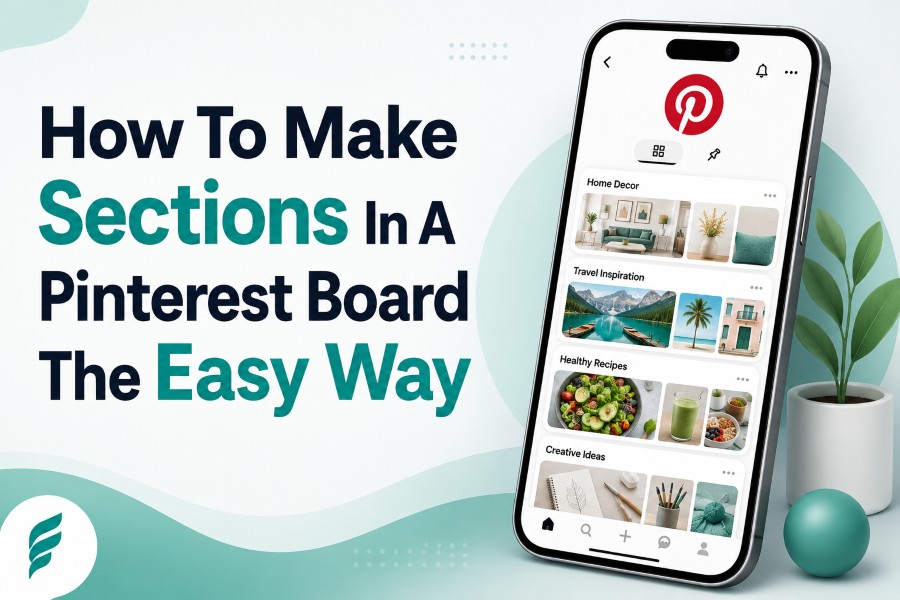
How to make sections in a Pinterest board is one of the simplest things you can learn if your boards feel messy, crowded, or hard to browse. Pinterest sections help you divide one large board into smaller groups, so your ideas stay organized and easier to find later.
If you use Pinterest for recipes, home decor, fashion, travel planning, products, content marketing, or mood boards, sections can save you from endless scrolling. They also help visitors understand your board faster, which matters when people are browsing quickly on mobile.
Why Pinterest Board Sections Matter
Pinterest board sections work like folders inside a bigger folder, and that makes them useful when one board covers several related ideas. Instead of creating ten separate boards for every tiny category, you can keep one strong board and divide it into clear sections.
For example, a “Home Decor Ideas” board can include sections for bedroom decor, kitchen decor, bathroom decor, and small apartment ideas. That structure helps you find saved pins faster and helps visitors move through your board without feeling lost.
A tool can also help when you study how public content is arranged across different platforms. If you want a simple way to view public content across platforms, that tool can support your research process while you compare how visual content is grouped, displayed, and consumed online.
Sections are most helpful when your board already has several themes under one main topic. They reduce clutter, improve decision-making, and make your saved ideas feel intentional instead of dumped into one endless collection.
How To Make Sections In A Pinterest Board Step By Step
The practical process is simple, whether you use Pinterest for personal planning or business visibility. Open Pinterest, go to your profile, choose the board you want to organize, and look for the option to add a section.
After you click or tap “Add Section,” give the section a clear name that describes what belongs there. Then select existing pins to move into that section, or save the section and start adding new pins to it over time.
Use names that describe real user intent, not vague labels that only make sense to you. “Vegan Dinner Recipes” is stronger than “Food Stuff,” and “Minimalist Bedroom Ideas” is clearer than “Room.”
Basic Steps To Follow
- Choose the board you want to organize.
- Select the option to add a new section.
- Name the section with a clear topic.
- Move relevant pins into the section.
- Save new pins directly into the right section later.
Once your sections are created, avoid treating them like storage bins for random content. Every section should have a purpose, because Pinterest works best when your content structure is easy to understand.
When You Should Use Board Sections
You should use board sections when one board has grown too large but the subtopics still belong under the same parent theme. This is common with broad boards like recipes, wedding planning, homeschool ideas, skincare, DIY crafts, and home organization.
A board called “Healthy Recipes” can easily become overwhelming if it includes breakfast, lunch, dinner, snacks, smoothies, and desserts in one stream. Sections let you keep the board while giving each food category its own space.
Sections also work well when a topic is useful but not big enough for a separate board yet. If you have only 15 pins about smoothie bowls, placing them inside a “Healthy Breakfast Ideas” section may make more sense than creating a thin board.
Think of sections as a middle ground between chaos and over-organization. You get more structure without creating too many small boards that feel empty or unnecessary.
When A Separate Board Is Better Than A Section
A separate board is better when the topic has enough search demand, enough content, and enough long-term value to stand alone. If a section keeps growing and becomes a major part of your Pinterest strategy, it may deserve its own board.
For example, “Kitchen Remodeling Ideas” may perform better as a full board than as a small section inside “Home Remodeling.” A full board gives you a dedicated title, a board description, and a stronger topic signal.
This matters because board titles and descriptions can help Pinterest understand your content. Sections may improve organization, but full boards usually give you more room to target a specific topic.
Use a section when the topic is small, supporting, or still developing. Use a separate board when the topic is strong enough to attract searches, organize many pins, and support your account goals.
How To Name Pinterest Board Sections
Section names should be clear, specific, and easy to understand at a glance. Avoid cute names, private jokes, or broad labels that do not explain what the section contains.
A good section name usually includes the topic people would expect to find. “Fall Outfit Ideas,” “Easy Chicken Dinners,” “Small Bathroom Storage,” and “Pinterest Marketing Tips” all tell users exactly what they will see.
You do not need to stuff keywords into every section name. A natural keyword is enough when it helps the reader and matches the pins inside the section.
Strong Section Name Examples
- Use “Easy Weeknight Dinners” instead of “Yummy.”
- Use “Modern Farmhouse Kitchen” instead of “Kitchen.”
- Use “Beginner Yoga Poses” instead of “Exercise.”
- Use “Neutral Living Room Decor” instead of “Home.”
The best section names feel simple, searchable, and useful. They help Pinterest users find what they came for without guessing.
How Many Pins Should Each Section Have
There is no perfect number of pins for every section, but each section should feel useful without becoming overwhelming. A section with only two pins may look unfinished, while a section with hundreds of pins can become hard to browse.
A practical range is to build sections that are focused enough for quick scanning. For many users, 20 to 100 pins per section is a helpful target because it creates enough variety without turning the section into another messy board.
If a section grows far beyond that range, review it and decide whether it needs smaller sections or a separate board. For example, a “Dessert Recipes” section with hundreds of pins may need to become its own board with sections for cakes, cookies, pies, and no-bake desserts.
Quality matters more than quantity. A clean section with relevant pins is better than a bloated section filled with weak, outdated, or unrelated saves.
How Sections Improve User Experience
Sections improve user experience because they reduce the effort required to find something specific. When people land on a board, they usually want a quick answer, a visual idea, or a category that matches their current need.
If your board is organized, users can scan it faster and stay longer. That is especially helpful on mobile, where people often browse quickly and leave when the experience feels crowded.
Sections also help you return to saved ideas without wasting time. If you saved a kitchen layout six months ago, you do not want to scroll through an entire home decor board to find it.
A clear board structure respects the reader’s attention. It turns Pinterest from a messy inspiration dump into a useful visual library.
How To Use Sections For Pinterest SEO
Pinterest SEO starts with clarity, and sections can support that clarity when they are named well. They help group related pins together, which may make your board easier for users to understand and browse.
However, sections should not replace your core board strategy. If a keyword is important to your business, blog, shop, or content plan, a dedicated board may still be the stronger choice.
Use sections to support the main board topic, not to hide unrelated topics inside it. A “Pinterest Tips” board could include sections like Pinterest SEO, Pinterest Design, Pinterest Analytics, and Pinterest Scheduling because all of those themes belong together.
Do not create sections just to add keywords. Create them when they make the board more useful, because search performance and user experience usually work better when they support each other.
Best Practices For Organizing Existing Pins
Start with your most important boards instead of trying to reorganize your entire account at once. If you have years of saved pins, cleaning every board in one sitting can become slow and frustrating.
Choose one board that matters most, then identify the natural categories inside it. Move pins into sections based on topic, style, purpose, season, or user intent.
Delete or remove pins that no longer fit the board. Old pins, duplicate pins, broken content, and off-topic saves can weaken the usefulness of your sections.
Simple Cleanup Method
- Open one board at a time.
- List the main themes you see.
- Create sections for the strongest themes.
- Move pins carefully into the right sections.
- Remove anything that no longer belongs.
This process keeps your Pinterest account organized without making the work feel impossible. Small cleanup sessions often produce better results than rushed large-scale edits.
Common Mistakes To Avoid
One common mistake is creating too many sections before you have enough pins. If every section looks empty, the board may feel unfinished and less helpful to visitors.
Another mistake is using unclear names that do not match real search behavior. Names like “Nice,” “Dreamy,” or “My Style” may feel personal, but they do not explain the content well.
You should also avoid mixing unrelated ideas inside one section. A “Summer Recipes” section should not include winter soups, workout plans, or home office inspiration.
The biggest mistake is using sections as a substitute for strategy. Sections are helpful, but they cannot fix weak pin quality, poor board topics, or inconsistent content planning.
Board Sections For Business Accounts
If you use Pinterest for business, sections can help you organize content around buyer intent. A brand that sells skincare products could divide a skincare board into acne care, dry skin tips, anti-aging routines, and product education.
Bloggers can use sections to group posts by category. A parenting blogger might use sections for toddler activities, school lunch ideas, bedtime routines, and family travel tips.
E-commerce brands can use sections to organize products by collection, season, room, occasion, or customer need. This makes browsing easier and helps users move from inspiration to action.
Still, business users should be careful not to bury important topics inside sections when those topics deserve dedicated boards. If a category drives traffic, sales, or leads, give it enough space to grow.
Should You Move Old Pins Into Sections
You should move old pins into sections when doing so improves the board’s usefulness. If a board is already organized and easy to browse, you do not need to change it just because sections exist.
Focus first on boards that are crowded, broad, or important to your goals. These boards usually benefit most from sections because they already contain enough content to divide.
Do not worry about organizing every old pin perfectly. Pinterest organization should help your account, not trap you in endless cleanup work.
A smart approach is to fix active boards first, then improve older boards gradually. That keeps the process realistic and gives you cleaner boards without burnout.
Final Checklist Before You Create Sections
Before you create a section, ask whether the topic belongs under the main board. If the answer is no, you may need a different board instead.
Next, check whether the section name is clear enough for someone who has never seen your account before. A stranger should understand the section topic in seconds.
You should also check whether you have enough pins to make the section useful. If not, create a simple plan to add more relevant pins over time.
Quick Checklist
- Does the section match the main board topic?
- Is the section name specific and easy to understand?
- Are the pins inside the section closely related?
- Could this section become its own board later?
- Will this organization help users browse faster?
If you answer yes to most of these questions, the section is probably worth creating. If not, wait until the topic is clearer.
Conclusion
How to make sections in a Pinterest board becomes much easier when you think beyond the button-clicking process and focus on structure. Sections should make your boards clearer, faster to browse, and more useful for the people who visit them.
Use sections when a board has several related subtopics, but choose separate boards when a topic has enough content and search value to stand alone. Name each section clearly, keep the pins relevant, and avoid creating empty or confusing categories.
Pinterest works best when your organization serves a real purpose. When you build sections around user intent, your boards become more than saved ideas; they become clean, helpful visual collections that people can understand, follow, and return to.